
AI task planning
Deflect the tasks. Keep the time.
Your list knows when things are due. It has no idea when you will actually do them. Deflective finds a real slot around work, evenings and weekends — then puts Now in front of you.
Start free 7-day trial
Seven days of Plus on every new account. No card.
A list of unscheduled tasks becomes a week of planned work blocks, then Today shows what to do now and next. Deflective drafts the plan; you approve it.
Watch a list become a week.

The reason lists fail
Due dates are not do dates.
Capture the noise, then let Deflective draft a week around the time you actually have. It drafts the plan. You approve it.
- A deadline is a constraint, not a plan.
- Deflective finds a do date around work, evenings and weekends.
- Planned work sits beside your calendar, not on top of it.
- You confirm every change — nothing reshuffles in the background.
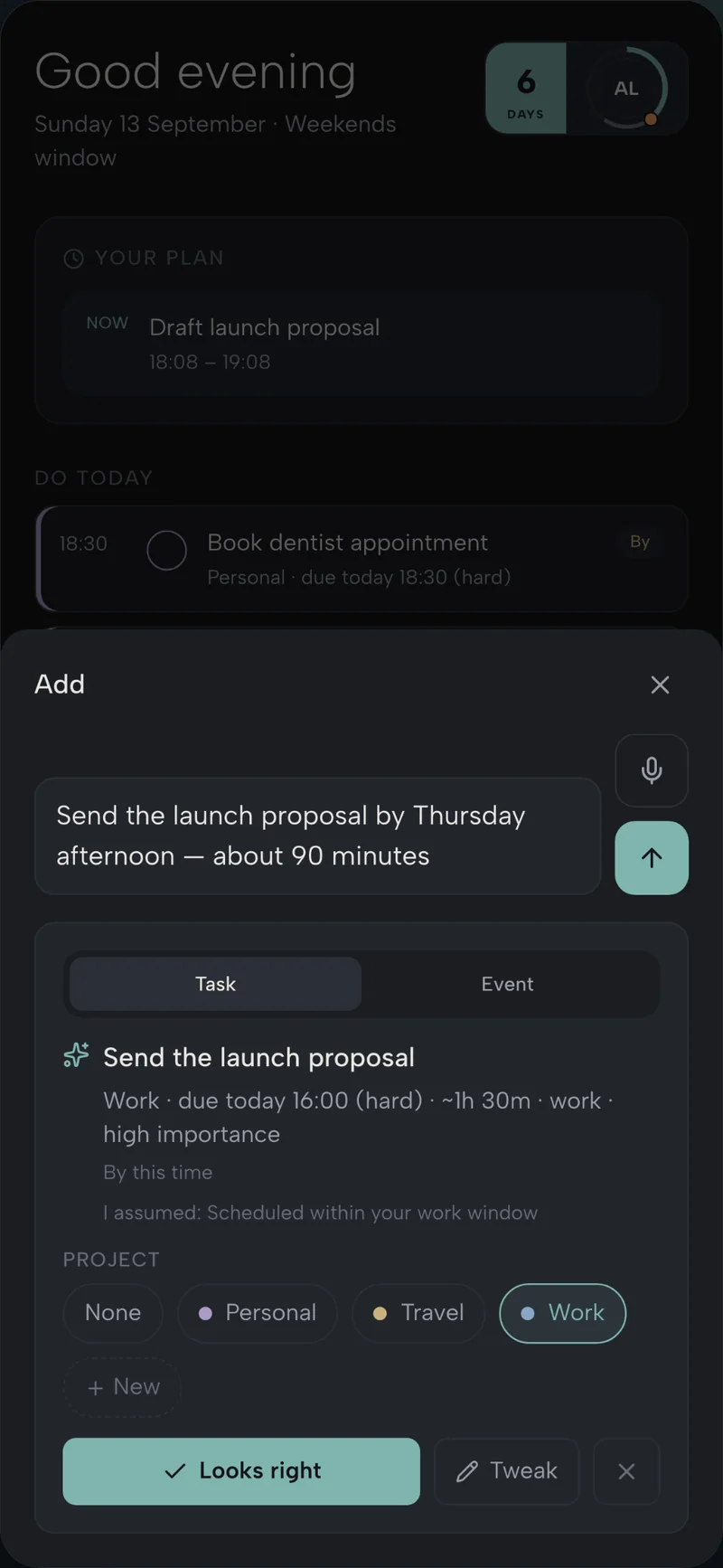
Capture
Capture the noise
Dump the thought. Keep going. Type, speak or chat — titles, deadlines and projects get structured for you.
- Type it, speak it, or drop it into chat — keep moving.
- AI fills in the title, deadline, estimate and project.
- Work and life live in one list, not two competing apps.
- Nothing is added until you tap Looks right.
Plan
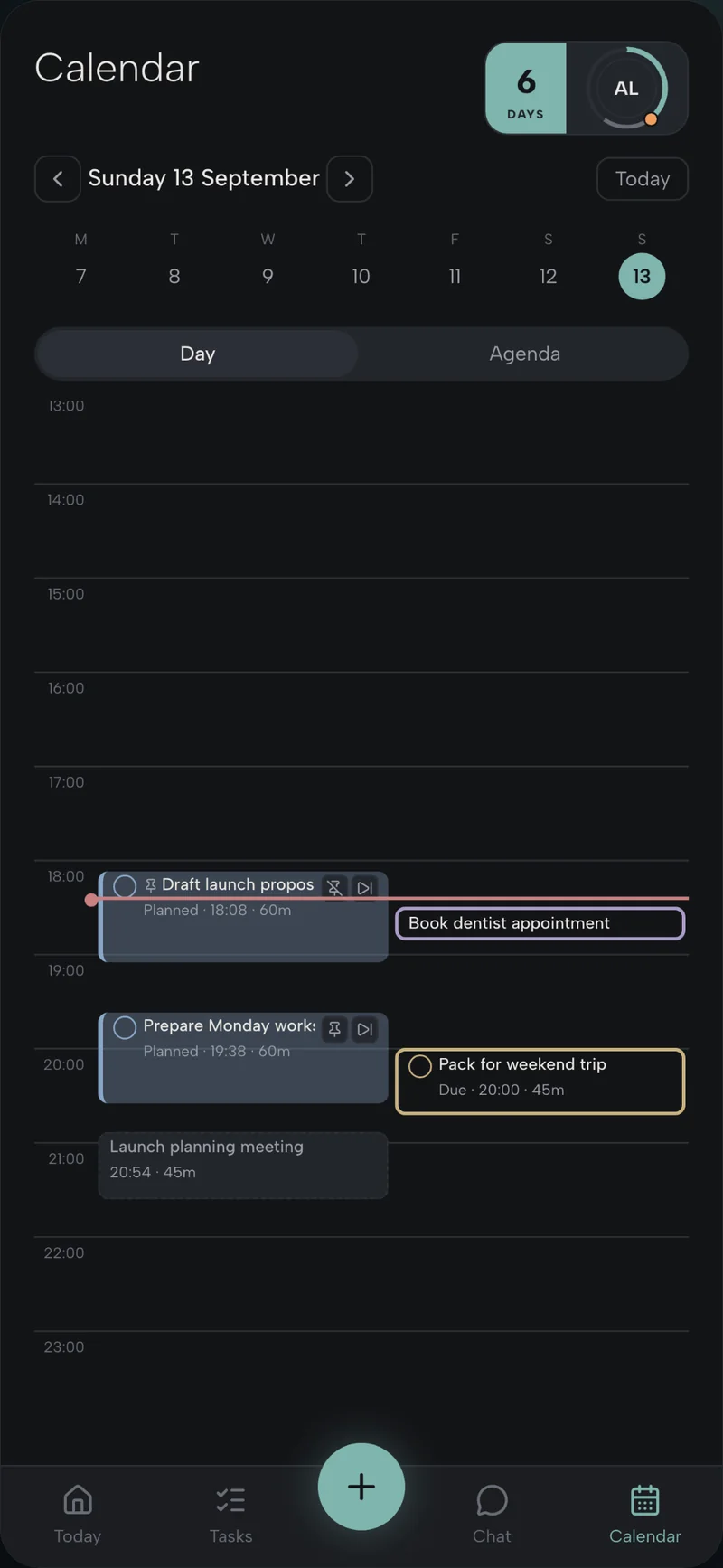
Get a when, not another list
Auto-scheduling places planned blocks around work, evening and weekend windows, and the calendar you already have.
- Set the hours you actually have: work, evening, weekend.
- Planned blocks fill the gaps around Google Calendar.
- Due dates stay deadlines; do dates are when you will do the work.
- One tap drafts the week. You approve it.
Today
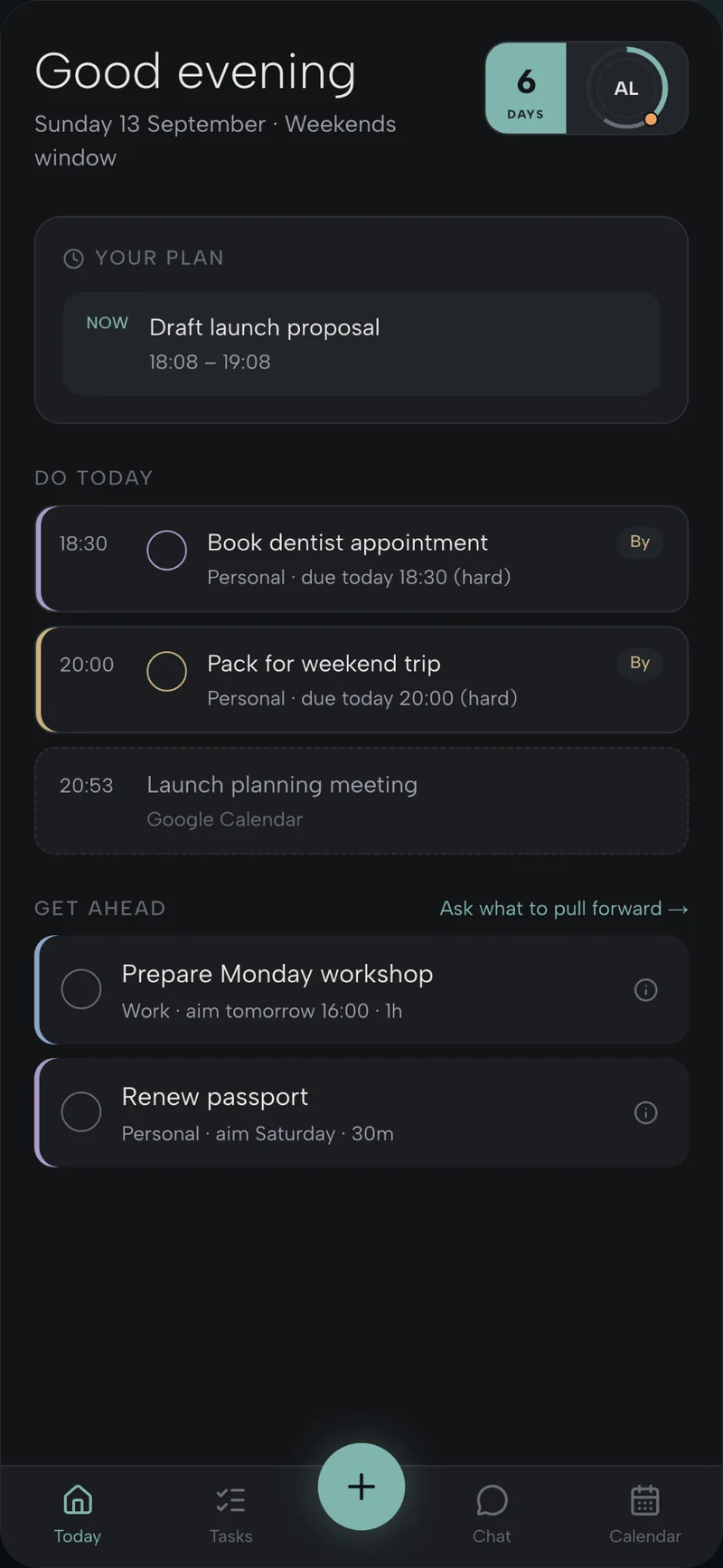
Know what Now is
Today turns the week into a sequence: what to do now, what comes next, and what can wait.
- Now is the block in front of you — not a ranked pile.
- Next and later stay visible so the rest of the day does not vanish.
- Meetings and planned work share one view.
- Finish one thing and the day still makes sense.
Plus is £6 a month after the trial.
Questions
- What does Deflective do?
- Your list knows when things are due. Deflective finds a real slot around work, evenings and weekends, then puts Now in front of you. It drafts the plan. You approve it.
- How much does it cost?
- Seven days of Plus on every new account, with no card. After that, stay on Free or keep Plus for £6 a month.
- Do I need the app?
- No. You can start in the browser. The iPhone app is on the App Store. Android is coming soon.
Seven days of Plus. No card. Nothing to cancel.
Calendar view and auto-scheduling are simply on. Then stay on Free, or keep Plus for £6 a month.
Start free 7-day trial